We are 4-48

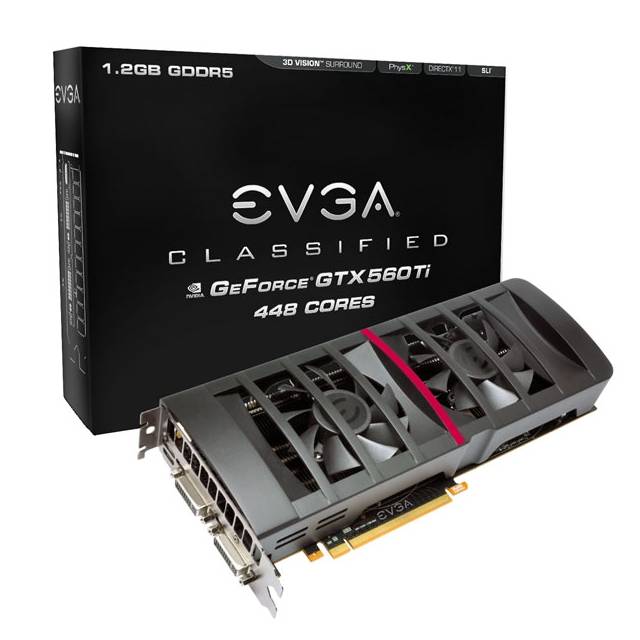
When you want to have something exclusive, you have to use some exclusive methods to get it. Nvidia announced that they put out a new graphics card which will be settled in the upper mid-range segment. It’s called GeForce GTX 560ti 448 and is basically not a 560, it’s a 570 with a few cuts on the shader units.

Whatever the case, I want this bloody card. And secondly, I want this bloody card by EVGA. And last but not least I want the “Classified” edition with improved cooling design and two more phase units to beat the shit out of every game with some monster overclocking. Well, until now, I’m just waiting. I had the standard version of the 560ti 448 but I wasn’t very happy with it.

The performance is okay and slightly improved in comparison to my GeForce GTX 560ti, but it was too loud. Not too loud for a common system, but too loud for my media centre. 1,500rpms in idle mode were too much and the card went back to sender.

So, here I am, waiting and waiting for the “Classified” edition. I ordered this card at three different resellers to get some special assurance that at least ONE reseller will get this card and send it to me. The person who’s dignified.

Never change a running system

I’ve been thinking about redesigning my home’s network infrastructure for a while now and Cyber Monday gave me a nice opportunity to grab some cheap WiFi devices. It was time to replace my obviously oversized Netgear VPN router in combination with a Linksys WAP54G access point. To have everything combined in one device, that was the goal. And this goal was reached – almost.

Two Buffalo WHR-HP-G300-NG routers were the deal I took on and they arrived pretty soon. I’m very, VERY familiar with WRT routers, or let us say DD-WRT itself, but these two Buffalos cost me nerves, if you know what I mean.

I use one router as a router (sure thing) and also as an access point (makes sense). The second router is getting used as an access point in client bridge mode to connect my media centre with the rest of my network. I unboxed the devices, switched them on, ignored the standard firmware and instantly flashed the recommended DD-WRT firmware.

This is where the real struggle began. First router worked perfectly fine so far. WiFi signals was kind of awesome and connection speed itself also improved. I configured the second router and nothing was happening. Client bridge mode was not working.

I checked my settings and everything seemed okay, actually, everything was already alright. While researching and debugging I got a connection out of nowhere. I was happy and almost ready to get some sleep. Well, I had a connection for like five minutes and everything broke down again.

A week of research followed. I’ve found one workaround, which was to run my client bridge router in client mode only. That helped to get rid of the fitful disconnects. I also found one DD-WRT firmware version that was able to keep the connection even in client bridge mode but disconnection followed after almost an hour and the router completely crashed.

Meanwhile, I replaced the second router with my old Linksys access point that handles the client bridge mode perfectly well. Connection on my media centre is fine and my buffering problem is also solved. So here comes the second issue.

One of my smart phones  has got a problem with the WiFi. It is connected, but it is not able to connect to the Internet. Strange, totally strange weird too. Well, my client bridge problem is not solved actually and I’ve got a smart phone that can no longer connect to the Internet. Leads me to the conclusion, never change a running system.

Androidify me

Reading, researching, experimenting, reading, researching and sometimes you fail and sometimes you gain success. Due to the fact that the evenings are getting colder and darker I turned to some more home oriented hobbies. Actually, ninety per cent of my hobbies happen at home, but that’s another story.

Back in the days I hated working on phones and tweak them or whatever. You system memory was ridiculously tiny and the processor was some kind of a joke. Nowadays mobile phones and especially smart phones come up with one or two cores and a clock rate beyond 1,000MHz. And additionally, we were gifted with a RAM that can take more than just 64KB.

My passion are Android phones and the Android operating system. I’ve started with a entry model, a Motorola Backflip MB300. I did a lot of counterproductive to this phone, but it survived without waving the white flag and surrendering. Right now it runs CyanogenMOD 7.1 which is based on Android 2.3.7. This makes this phone pretty bleeding edge and totally bad ass. Anyhow, this phone is slow. Patience is what you need to tweak and hack this ugly thing.

I switched to an HTC Desire S as my new main phone. It also runs CyanogenMOD 7.1. I’m not planning to run a lot of ROMs on this phone. After having struggled so much with the Backflip I want at least one phone that is highly available. My next “big thing” is a Motorola Defy. This will be the phone for my next evil experiments. I’ve found a used one really cheap on Amazon and it’ll hopefully be delivered.

If you want to ask what makes Android so interesting to me, it’s basically the way endless possibilities to customize your phone. On iOS for instance you have one store to get your software. You have only one interface that you can use. If you want to have something special or something the Appstore does not offer, you have to jailbreak your device. The iPad I once had was a jailbreaked one and it was terribly monotone anyway. Appstore alternatives were terrible and most of the apps that should modify the GUI made minor changed not worth to mention.

Windows mobile is not an option. The overall design of and the usability of the phone is decades behind the today’s state of art. As far as I’ve seen the GUI, it’s a giant step backward and far from transparent. I don’t like such things. But discussing this could lead to a discussion like “Windows vs. Linux”

Would lead to nothing and is in the end a matter of taste and user skill. Whatever the case, I’ll hopefully get the Defy pretty soon and experiment with it. I’ll keep you informed about my evil plans.

Happy, lazy days

It’s been quite a while since my last post and the reason for this is simple, I’m on my free and enormous lazy days. Actually, I had several of what to on days like these but I finally decided to do whatever comes up on my mind. I have to admit, once you’re into this vicious circle of laziness you probably don’t have much you actually want to do. I prefer waking up late, watching some stuff on my HTPC, play some games I always wanted to complete and so on.

This week is a little different because I suffer from some things broken. Most importantly, the hard drive storing all my TV stuff on my HTPC alerted me with a SMART error. The drive is still functional in some kind of way but it will completely break down in the very nigh future. As far as I found out does this drive have some spinning problems and several bad sectors appeared during the last couple of days. Till now I’m able to do the backup, which takes some time, approximately around 32 hours due to the spinning problems. Normally this drive runs around 60MB/s but currently it gains around 8 – 24MB/s on average. Anyhow, I’m able to backup and the exchange drive is already on it’s way.

clock ball

Another weird thing happened the day before, my office chair broke. By leaning back I totally fell backwards because the top of the vertical axis ripped off the attachment beyond the seat. I cannot deny that I have a massive overweight right now and that this was predictable, but it’s pissing me off because it finally happened during my lazy days where I use to sit a LOT on this particular chair. Whatsoever, I’ll replace this broken chair as soon as possible.

I’ve finally made to finish a lot of games that I always wanted to have completed. “Limbo” got released on Steam I completed it. A fine noir-esque indie title that totally deserves a try. Another game on my list was the awesome “Batman Arkham Asylum”. I completed the main plot and now I only have got some Riddler trophies left to gain the 100 per cent. Besides this I revisited Liberty City in “GTA IV” and I would say I am at 90 per cent of the main plot, almost finished per say. Most importantly “Mirror’s Edge” gained back my attention and I’m already in chapter 7. It’s a pretty tough and sometimes frustrating game but it’s still a very awesome game. The whole graphic style is unique and beautiful and the parcour gameplay is just great.

Besides these games I started playing the new Alice game “Alice: Madness Returns” which a little disappointing under some circumstances but on the other hand pretty intriguing. The levels are a pleasure to look at but at the end of the day you’re always doing the same and it’s pretty linear. It feels pretty much like jumping section, fighting section, jumping section, fighting section and so on. Anyhow, I guess I’m going to complete this game, too though.

I wanted to do some sports during my free time, but I actually haven’t found the will to do so. Maybe, within the next, let us say, in the nigh future.

Of mice and arms

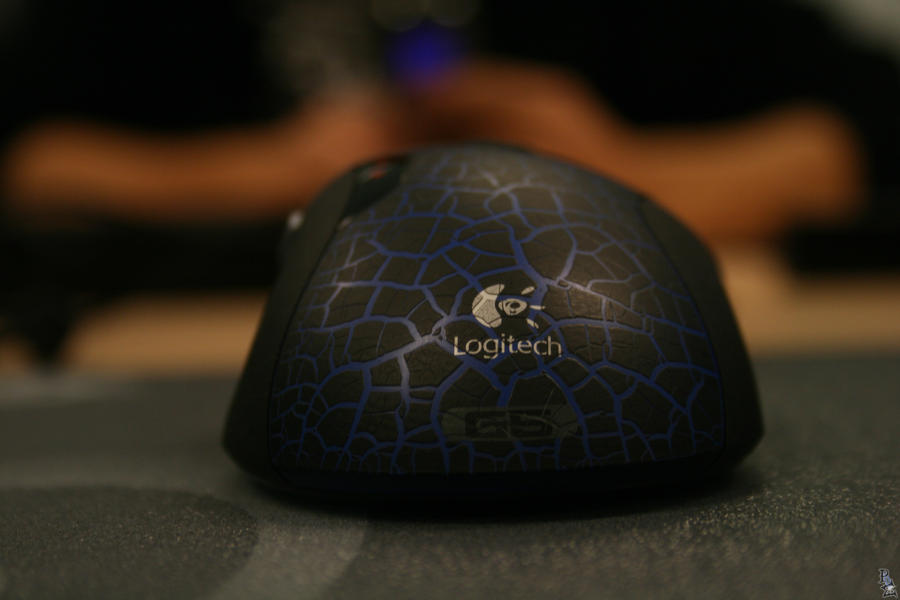
It’s terrible, I’m suffering from a pain in my hand for weeks now. It’s the right hand, and no it is not an issue caused by massive self pleasuring activities. Well, it got something to with pleasure, but this pain is mainly caused by my mouse. I’m using the Logitech G5 at home on my gaming system and I also use this mouse at work. My whole sitting position differs from each other. At work it is more a lying position with my forearm completely placed on my desk. At home I use to sit in a more straight position, but my forearm gets way more “airtime” as it does at work.

Whatsoever, I’ve got a pain in my arm as soon as I take my mouse at work and at home. This is mainly a G5 related issue, because when I go by and use the Logitech MX518, for example, the problem does not appear. I tried using more weight and even without weights, but the problem still persists. I personally think that this issue’s got something to with the surface of the mouse.

G5

The G5 is made completely of plastic and even though the surface was made a little craggy and rough the whole handling feels a little slippery compared to the MX518. Parts of the MX518 surface are made of rubber which gives a more haptic feel and you feel more in control for the mouse. This also leads to a more relaxed way of holding the mouse. I noticed that I tend to cramp my hand while using the G5, where instead on the MX518 I can make a move with my little finger with ease.

Meanwhile, my whole forearm is burning when I use my G5 at work. This is not only because of the mouse, my desk at work is a little lower, my whole forearm lies on the desk and so on. I also use to play with a wristband at home while using the G5, which is much more comfortable and the movement is much, much easier.

Anyhow, I switched to the recently released Logitech G400 with is the sequel of the MX518. The mouse is as fast as hell, got the same comfort like the MX518 and I don’t have a pain in my arm. Hopefully, I’ll be able to get that mouse at work, too. Meanwhile it’s pretty obnoxious to use the G5, even though it’s a nicely designed mouse.

Time to start it over

It’s pretty much a week now that my new gaming rig is up and running and my first summarization is: “I’m happy and satisfied”

The performance increase is so massive it’s such a pleasure to work with this system. I’ve done several benchmarks and lots and lots of stability tests and the final setup is far beyond my expectations. I didn’t wanted to have ultra hardcore settings these times for one simple reason. I did not want to burn my rig as fast as possible. I was more in a mood to find a good 24/7 setup. A balance between performance and green IT. Something between strong overclocking and energy saving. I finally found the settings I needed.

Additionally did I also change the heat exchanger in my water cooling circuit to get a much better results in cooling. The old dual fan heat exchanger was far beyond its capacity and the water was pretty much near the boiling point. After stressing my system for a couple of hours the CPU was finally at 72°C and the graphics card was something around 50°C. I ran Prime95 and Unigine Heaven Benchmark at the same time for over two hours. The outside temperature was around 25.5°C on these stressing days. I still don’t understand how people can get cooling results of 35°C with air cooling on their CPUs like you always find them in forums and review pages on several discounter sites.

Anyhow, the system is finished now and everything is totally up and running, but I’ll start things over. It’s like an old tradition that I never stay on a system for month that needed, let us say, a little exploration time. I’ve exchanged lots of software versions and drivers during the setup and I’m not a big fan of having orphans on my system. Additionally, the game explorer is not working a 100 per cent and this is because of one irreversible mistake I’ve done during setting this rig up. It’s going to take me like another 20-30 hours of work time, but it will be worth it.

It works!

I’m so happy. I’m sooo happy. After days of working on my new PC yesterday was the day where it was time to turn it on and see if it actually works. And it worked and still works. I mentioned previously that I had some serious problems with the water block that might additionally have caused a short-circuit on the system, but I was able to solve it.

I was expecting a children’s disease here and there while setting up the whole system, but it wasn’t the huge hurdle I was expecting. I had some tiny problems with the RAM. With completely full stacked RAM slots and without X.M.P. enabled the motherboard simply wouldn’t start and was caught in a boot loop. There was one system freeze on the very first installment of Windows 7, which could finally be solved by updating to a newer BIOS version. ISRT is not working at the moment. When I go by and enable RAID XHD the system denies to boot. It is not even able to boot a Windows 7 DVD or anything else. I’m pretty sure that this is just a BIOS related issue that is going to be fixed by Gigabyte within the next couple of weeks.

As you may know, I’m a benchmark addict and I just couldn’t hold to do a little 3D Mark 11 from the scratch. I gained around 6,600 points without any tweaks and tuning, which is around 700 points more than I my old system. Man, I’m so excited to finally overclock the CPU and even the graphics card. Till now the whole system is pretty basic. I spent a lot of time in doing some quick researches on drivers and utilities used on this board. ISRT was the only one that actually needed an update to give a software response. Anyhow, it’s not working in hardware so I decided to use this drive for ReadyBoost at the moment.

For the time being I’m going to restore my Steam library and install the most common program to get me back to track. I guess after get a little bit more into the whole infrastructure of the board and learning about its little bugs I’ll do a couple of benchmarks.

Barely finished… but almost

Normally, when I work on a PC and build it from the ground up, it takes like two hours to nearly half a day. Since I’ve started with rebuilding, cleaning, repairing and upgrading my gaming rig, six days have passed. The intention actually is to make it as good as possible. I don’t want no hidden rubbish areas in my chassis and most importantly no dust. Old builds of my PC always included weird cable constellations and packed cable  trees in narrow corner. I tried to avoid things like this in this very build.

It takes a lot – and I mean a looot of time – to get all things arranged as one can possibly can. The mainboard alone was put around 6 – 8 times in the chassis. Main problem with the board was the backplate that was using too much space and could cause short-circuits. I finally found a good solution using less space and definitely not responsible for eventually upcoming short-circuits.

Another point is, well, it’s this kind of fetish of mine. I always use to put as much components in my PCs as possible. My working rig is somehow different, but mostly every PC I own is always packed. And by saying packed, I mean packed.

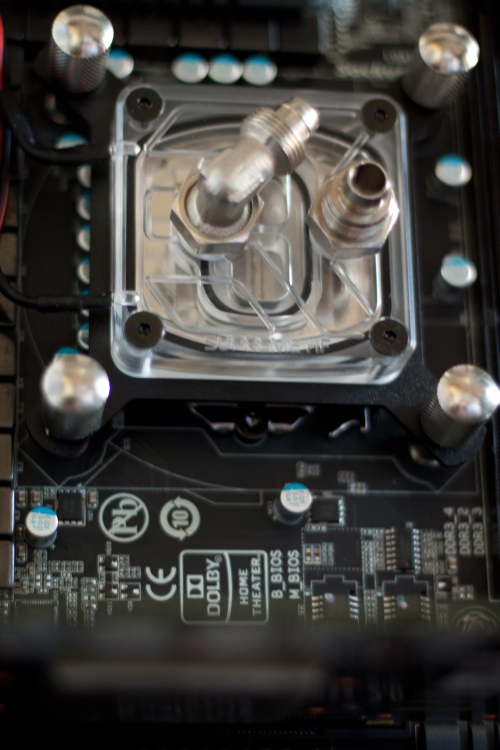
As you may know, the PC uses water cooling. Until now you can only find a water block on the CPU and a couple of tubes wandering through the chassis. The water pump is already installed, too. This time I decided to put the pump a little differently inside to gain a little bit more space inside. Additionally did I put some foam around the pump to minimize vibrations going on to the frame of the chassis causing noises. I also have plenty of room to do some quick maintenances in the case of an incident.

My new graphics card is going to be delivered this day’s afternoon and I’ll probably go to finish this PC by today’s evening. I was very lucky to get a 64GB SSD pretty cheap that I’m able to use ISRT immediately. I hope that it’s going to work with an previously set up RAID0, the storage solution that I always use for my system- and games partitions.

Anyhow, I’m pretty excited and nervous today and hopefully everything is getting well. I haven’t been working on a PC for such a long time before I finally started it and hopefully it’s going to be a good harbringer.

It’s dead and will not move no more

After having pushed several of my graphics cards to their limits and beyond I have to announce a death in the family. My Geforce GTX 570 died after some burn-in tests with FurMark. I was able to run 3DMark 11 a couple of times, but the card finally suffered the big heat and decided to simply turn off. Actually, one voltage transformer decided to burn out and the card wasn’t functional anymore. This happened because of several reasons. First of all, I think that the core voltage wasn’t set to high, because 1.152V is actually a value a GTX 570 should be able to handle.

I personally think that the overall heat, even in the water circle, was a to high. Around 50°C of pure water warmth is something that brings every circular flow assisted system on its knees. Anyhow, the whole system was boiling and cooking and my graphics card said “No, I’m leaving here”

Like I said before, I know that the GTX 570 is capable of handling the previously mentioned core voltage. I guess the used components were like manufactured on a Monday and deserved to die. After giving condolences and mumbling some last words to her, I decided it’s time to switch to something really, really fucking bad and ordered a Geforce GTX 580. Firstly, I ordered the wrong one. A Good Edition by Gainward with the main problem that the PCB differs from the original one. That’s a giant problem for me, because I use a waterblock that is designed for the common Fermi 570/580 design. The card is going back to sender and I finally ordered a card by EVGA.

I decided to take the Superclocked model, which is for what I believe, the card with the better single components on it. I had to pay a higher price, but that’s okay. EVGA offers some great terms of warranty and is in my opinion the new high end manufacturer. I was a fan of XFX for a long time, but they do not build Nvidia cards anymore, which is sad, because they put out some absolutely great products. I also liked Gainward a lot, but the price for their cards compared to the service afterwards is nothing in comparison to EVGA. You could say, EVGA is the real shit for every Nvidia fanboy.

At this very moment, my gaming rig is finished like 70 per cent and hopefully up and running within the next two days. I also hope that it will work, because I had some serious space issues with the retention module for the waterblock. Screws and kind of things like that touch the backplate. This IS serious, man. All fingers crossed for my work on electric isolation.

Ah, push it! Push it real good…!

Like I said in my previous blog entry, I’m going to upgrade my gaming rig. As a show of gratitude for my old system I just had to push the last bit of power out of it. I’m currently using two graphics cards in this system that are also going to be in the new system. It’s mainly a replacement of motherboard, RAM and CPU. Graphics card #1 is a Geforce GTX 570 by Point of View and it’s a charged model, which means it’s already overclocked by factory defaults. Stock clocks are 810MHz for the core and 1980MHz for the memory.

Graphics card #2 is a Geforce 9800 GT Green Edition by XFX, which is pretty common without any overclocks. Anyhow, the fan design looks pretty nice on this card. Stock clocks are 550MHz for the core and 700MHz for the memory.

I was able to push the Geforce GTX 570 up to a 880MHz core clock which is pretty good, if you consider that the stock core is actually 725MHz on a completely non-overclocked graphics card. The Geforce 9800 GT received no more than a fifty MHz overclock to the core and no overclock to the memory. So far so good, but I wasn’t very happy with these results and I also wasn’t very satisfied with the fact that all these overclocks happened in software only by using the MSI Afterburner.

After some research I finally found a version of NiBiTor that was able to actually handle my BIOS files that I read out with GPU-Z. The Geforce 9800 GT was pretty to modify. I was able to set the core-, shader- and memory-clock on the “main-page” of the program and I slightly adjusted the core voltage to 1.05V to get a little “insurance” on the core.

My Red Led Fan

The Geforce GTX 570 was a little bit more difficult, because I wasn’t just able to adjust the clocks on the main page. NiBiTor offers a sub-menu especially for Fermi CPUs and the bunch of numbers I first saw was way confusing. After a couple of minutes of asking Google I finally found a good website explaining how to adjust the clock speeds correctly and I was ready to let the editing begin. I also had to adjust the minimum and maximum voltage on the core for two simple reasons. #1 – I wanted to get a little bit more coolness in idle mode so I decided to undervolt my card a tiny little bit from 0.92V to something around 0.85V without any stability issues. #2 – I wanted to increase the maximum headroom by increasing the voltage in 3D performance mode. The defaults were around 1.062V and I decided to bring it up to 1.151V and the maximum allowed voltage was set to a value beyond 1.2V which I probably never going to use. Damage risk, you know?

I knew what my cards were able to do in the past and I did not have to experiment that much to find the stable clock values. So the final results on my cards have been the following. The Geforce 9800 GT now runs with a clock core of 725MHz and a memory clock of 900MHz. I did not wanted to push the memory to far because it simply wouldn’t make any sense. You always have to consider that this card is used for PhysX only.

The Geforce GTX 570 got a real blast. The core now runs stable on 950MHz and the memory was pushed slightly to 2150MHz. That’s an increase of 31% compared to the stock clocks given by Nvidia. 3D Mark 2011 increased by 400-500 points. The average score on factory default clocks was around 5,300-5,400 and after overclock around 5,900 points. Unfortunately wasn’t I able to kick it beyond the 6,000 point mark. I’m pretty sure I can push the final score on the new system to something between 7,000 and 7,500 points. I’ll keep you informed.